PlayVault - Save All YouTube Videos in a Playlist
Save the title and uploader of every video in a YouTube playlist, then compare snapshots over time to see which videos have gone private or been deleted.

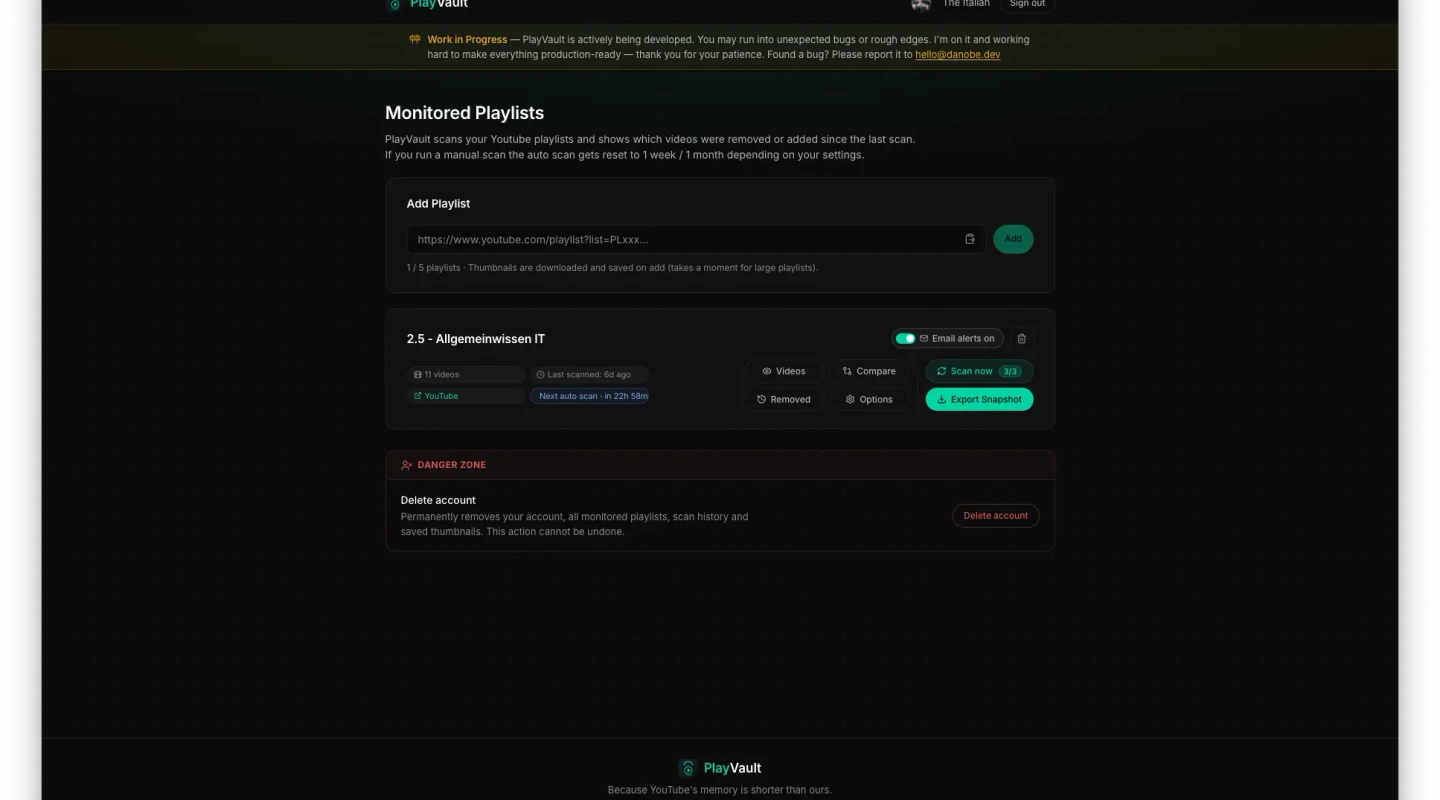
A while back I kept running into the same problem: I collected music videos in a YouTube playlist, and after a while songs would just disappear from it. So I wrote a small Python script that went through the playlist and saved each video's title, uploader, and position. I ran it once a week, which gave me a running history of everything I'd been listening to on YouTube. It worked well enough, but getting it running needed a Google/YouTube API key to talk to YouTube's backend. That setup is a hassle, so I looked for an easier way to solve the same problem. The result is PlayVault.
What you get with an account
You can sign in with a Google account. That keeps people from spamming the API with requests, and it unlocks the main feature: PlayVault scans your playlist automatically once a week or month, and if a video has been removed, it sends you an email. It's a convenient way to find out when something quietly vanishes from a playlist.
Don't want to sign up?
If you'd rather not create an account, there's another way. Enter a YouTube playlist URL on the website and download a ZIP archive of the whole playlist. Each video becomes a .jpg file: the image is the video's thumbnail, and the filename is its position, title, and uploader. Grab a playlist like this every so often, and when you want to know what's changed, feed two of these ZIP files into the built-in compare tool. It shows you right in the browser which videos have gone missing and which were added recently. This works fine, but I'd still recommend signing in with a Google account so you get an email automatically whenever a video disappears.
House rules
I had to add some rate limiting. You can download up to 20 ZIP archives per day, and the counter resets at midnight. This is necessary because my YouTube API access is limited, so I can't offer unlimited downloads. With a Google account you can monitor up to five playlists, and you can manually scan each one for changes up to three times a day. When a scan finds a deleted video, you click the "removed" button and it shows you exactly which video was taken out of your playlist.
Future plans
For now I've built everything I had in mind for this project. If I come up with more good ideas, I'll add them, but I'm happy with where it is. If you have a suggestion for making it better, feel free to email me anytime at hello@danobe.dev.
Comments
No comments yet — be the first!